
Watchlist
What you follow, and the alerts that tell you about it.
The page
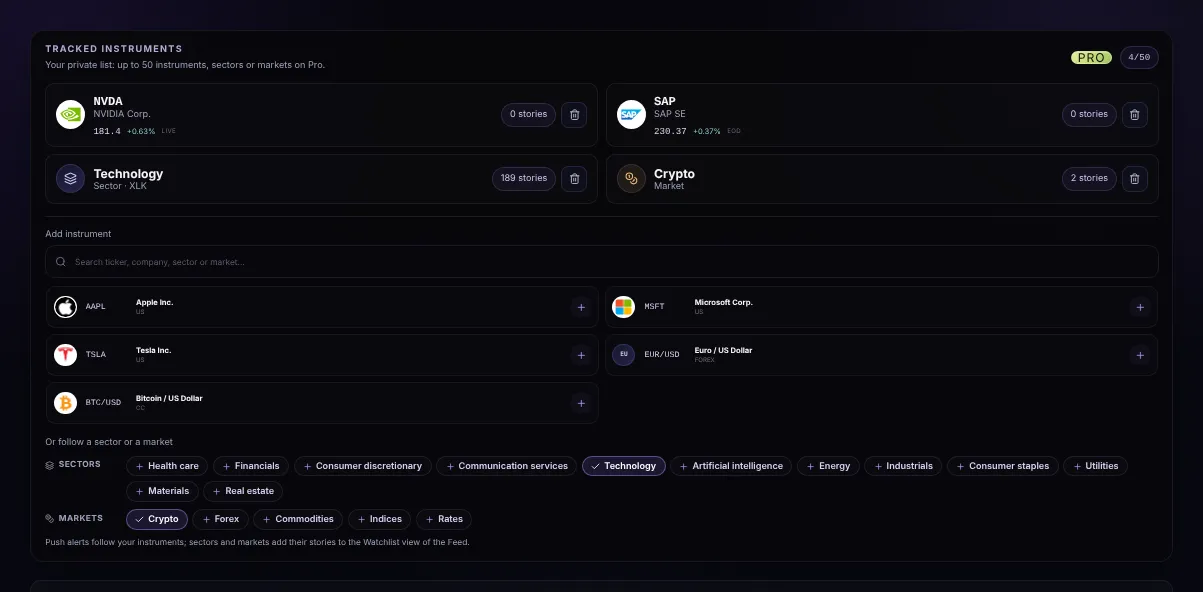
Instruments, sectors and markets in one list, in the order you followed them.
A search for any ticker, company or ETF. Under it, the tickers most covered in the stories of the last 24 hours.
Tick one to follow every story of a sector or of an asset class.
All, and the lists you name to group what you follow.
What your alerts sent lately, and how many are on by kind.
The two pages of the Watchlist.
Following a market
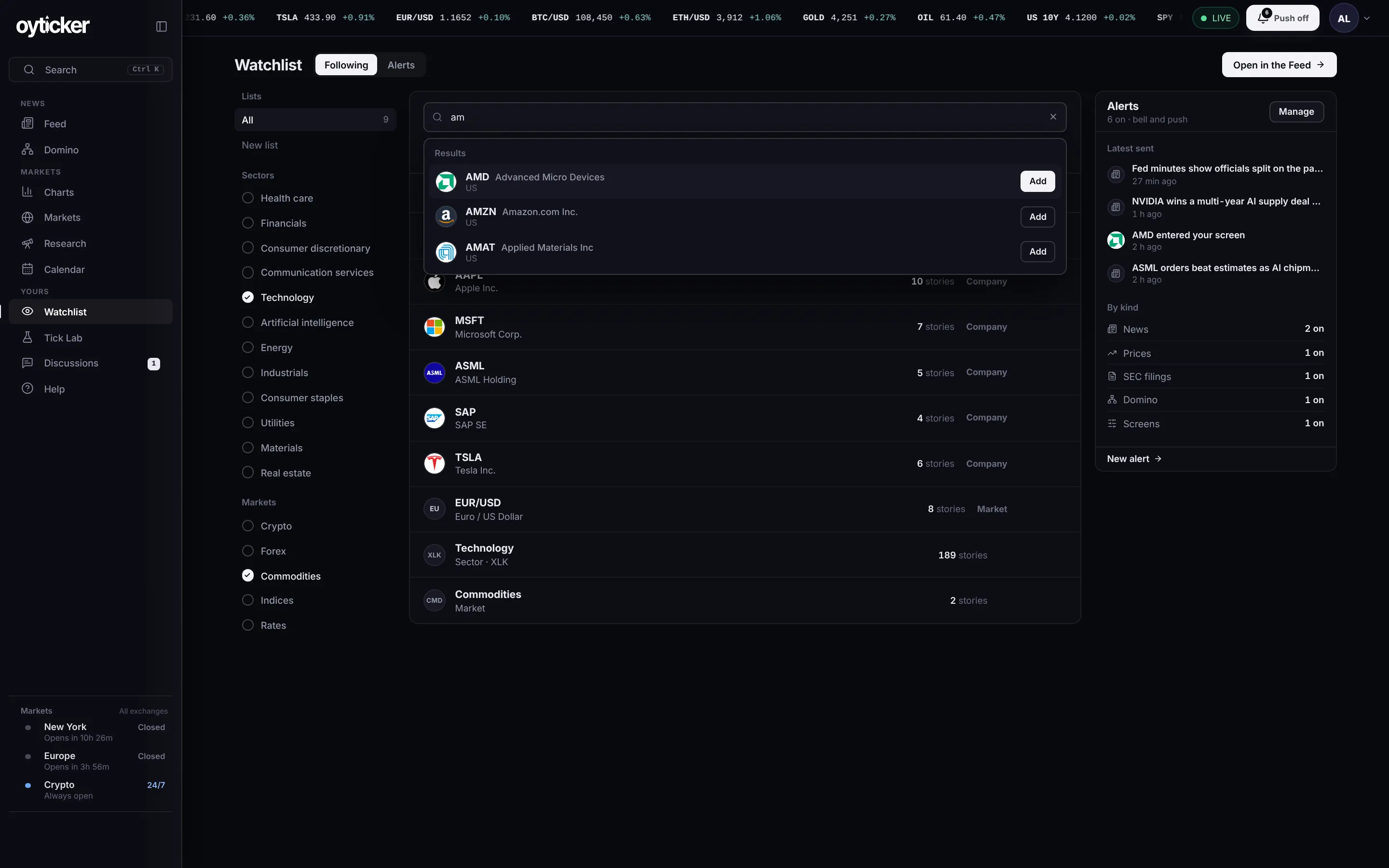
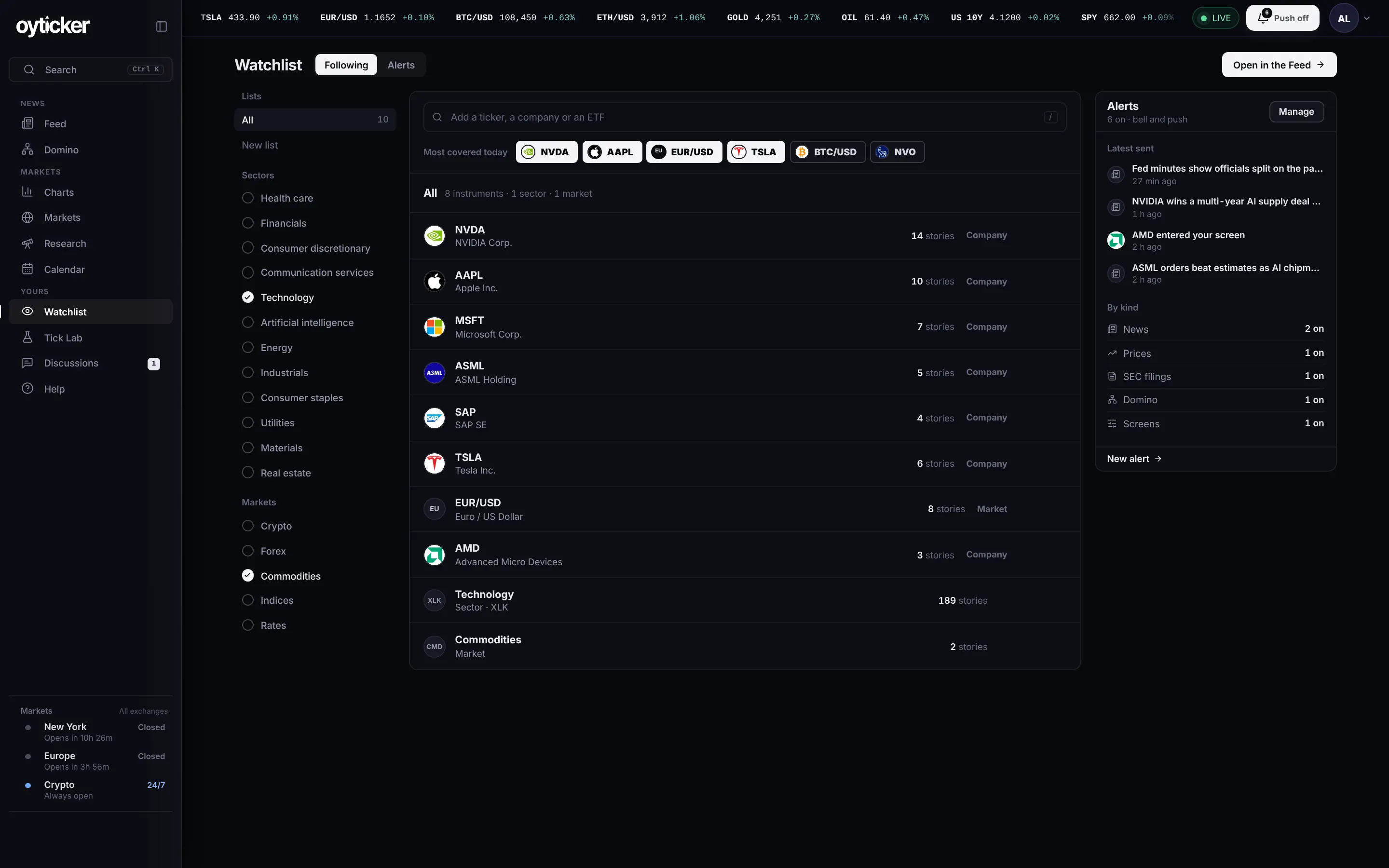
A ticker, a company or an ETF.
From two letters, the listed markets are searched. Click Add, or choose with the arrows and Enter.
The line joins your list at once, after the other instruments.
One click follows a ticker of the day; a second click stops following it.
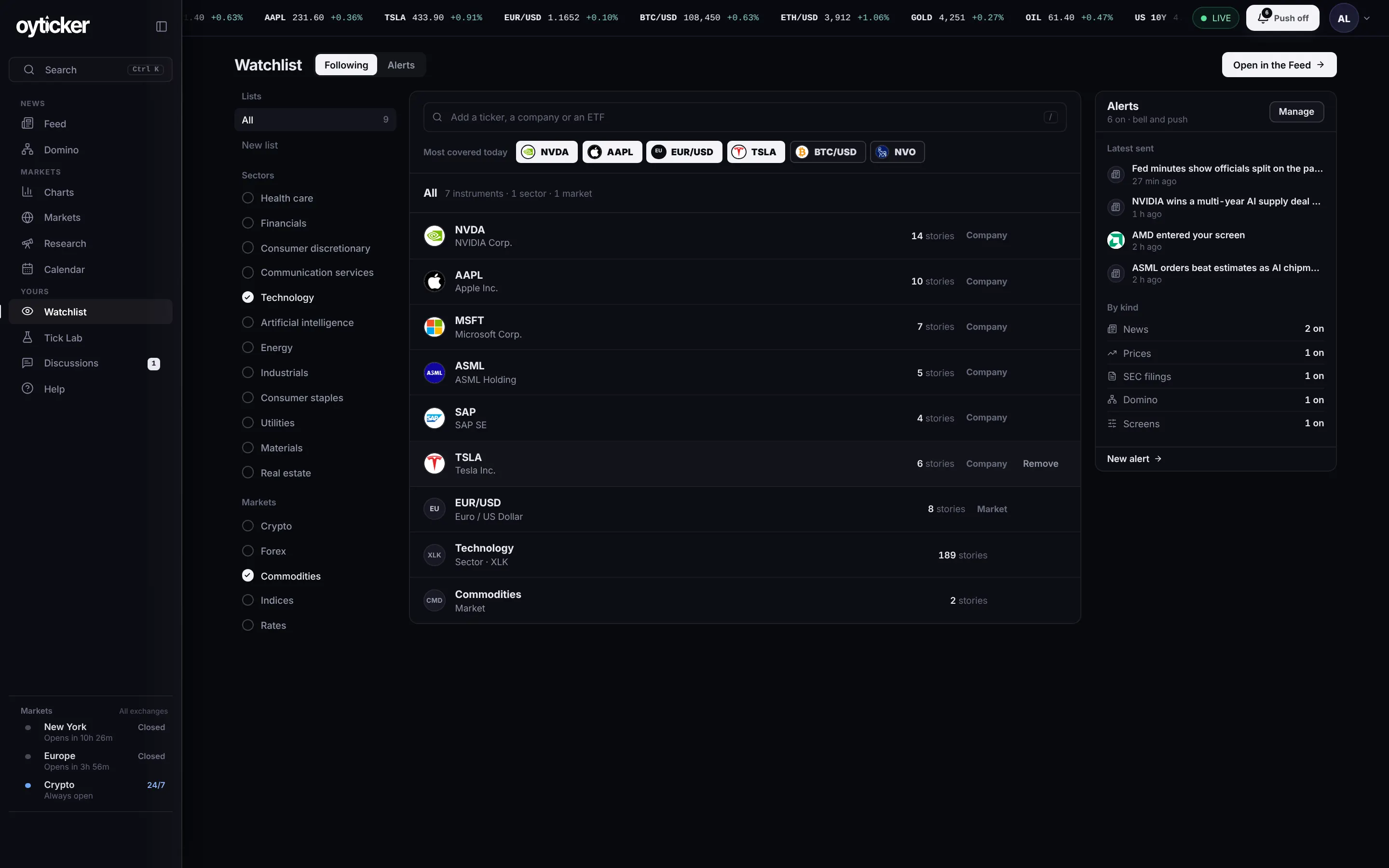
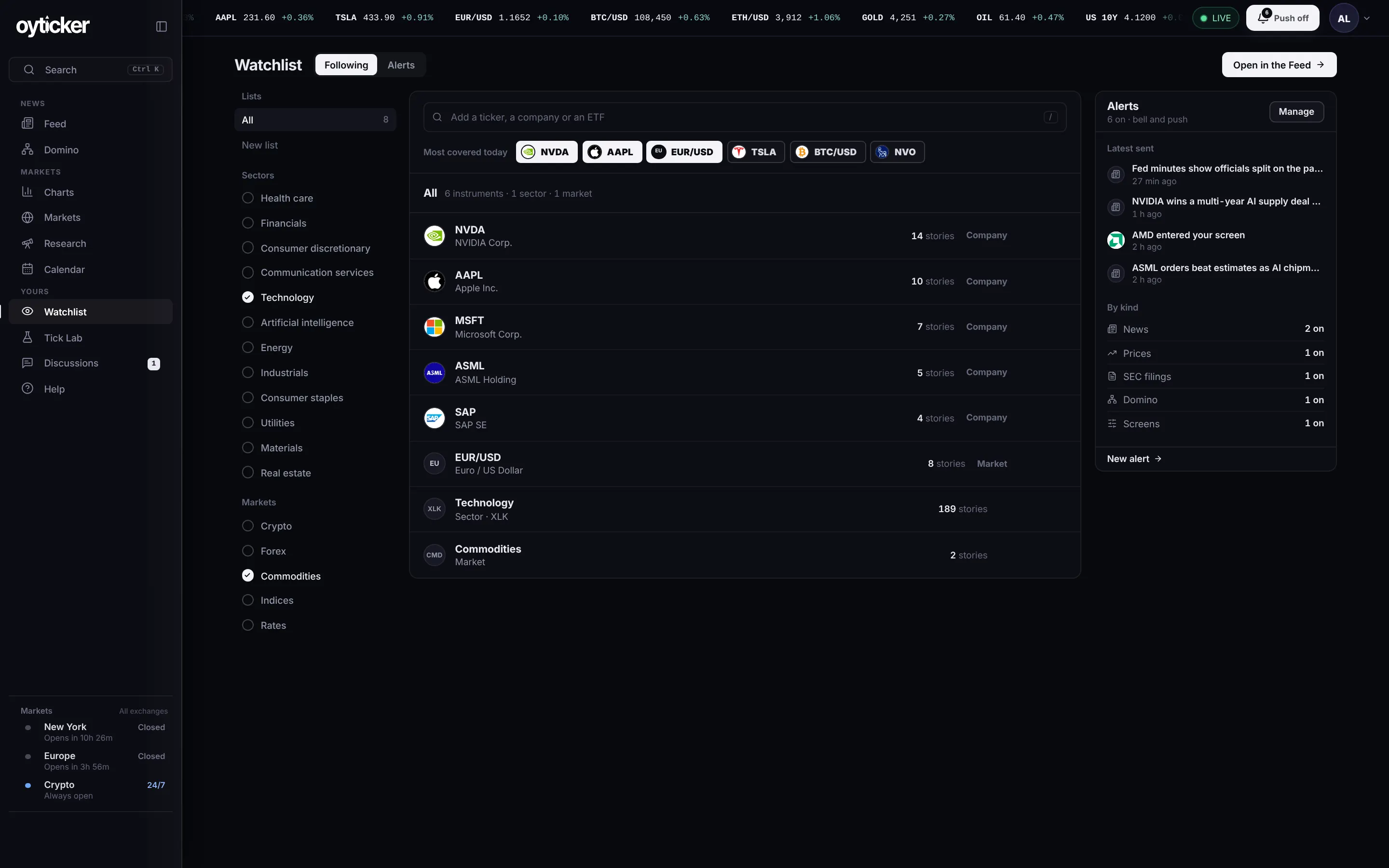
The name opens the market in Charts. Stories is the number Oyticker has about it.
Company opens the company's page. Remove shows when the pointer is on the line.
Tesla is no longer followed. It also leaves every list it was in.
- /
- Put the cursor in the search
- ↓↑
- Move through the results
- Enter
- Follow the result chosen
- Esc
- Clear the search
Sectors and markets
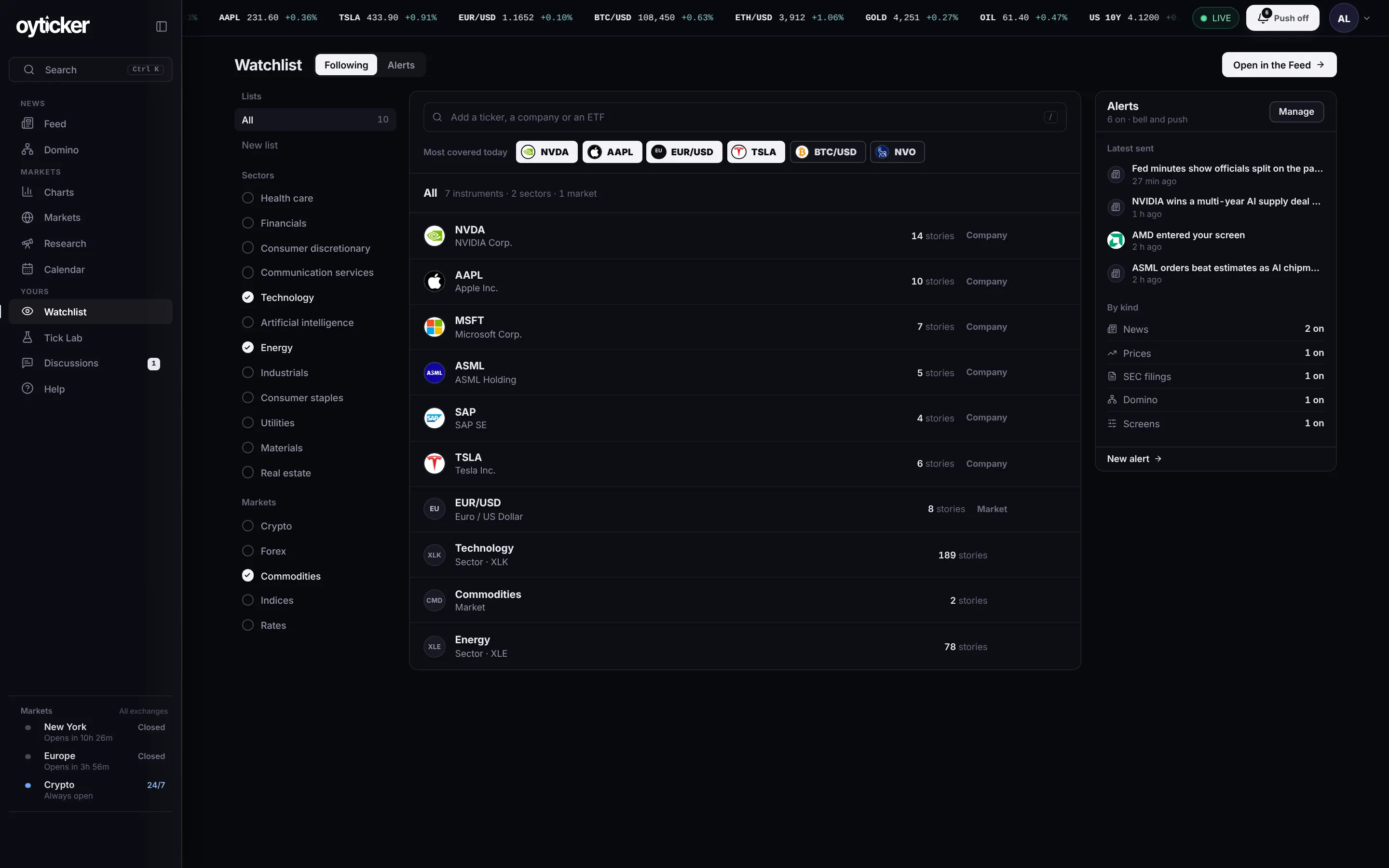
The eleven sectors of the S&P 500, and one theme across them, Artificial intelligence.
Every story of the sector counts, whatever the company. XLE is the sector's ETF.
Crypto, Forex, Commodities, Indices, Rates: every story about an instrument of that class.
A second click stops following the sector.
A sector or a market takes one place in your watchlist, as an instrument does.
Lists
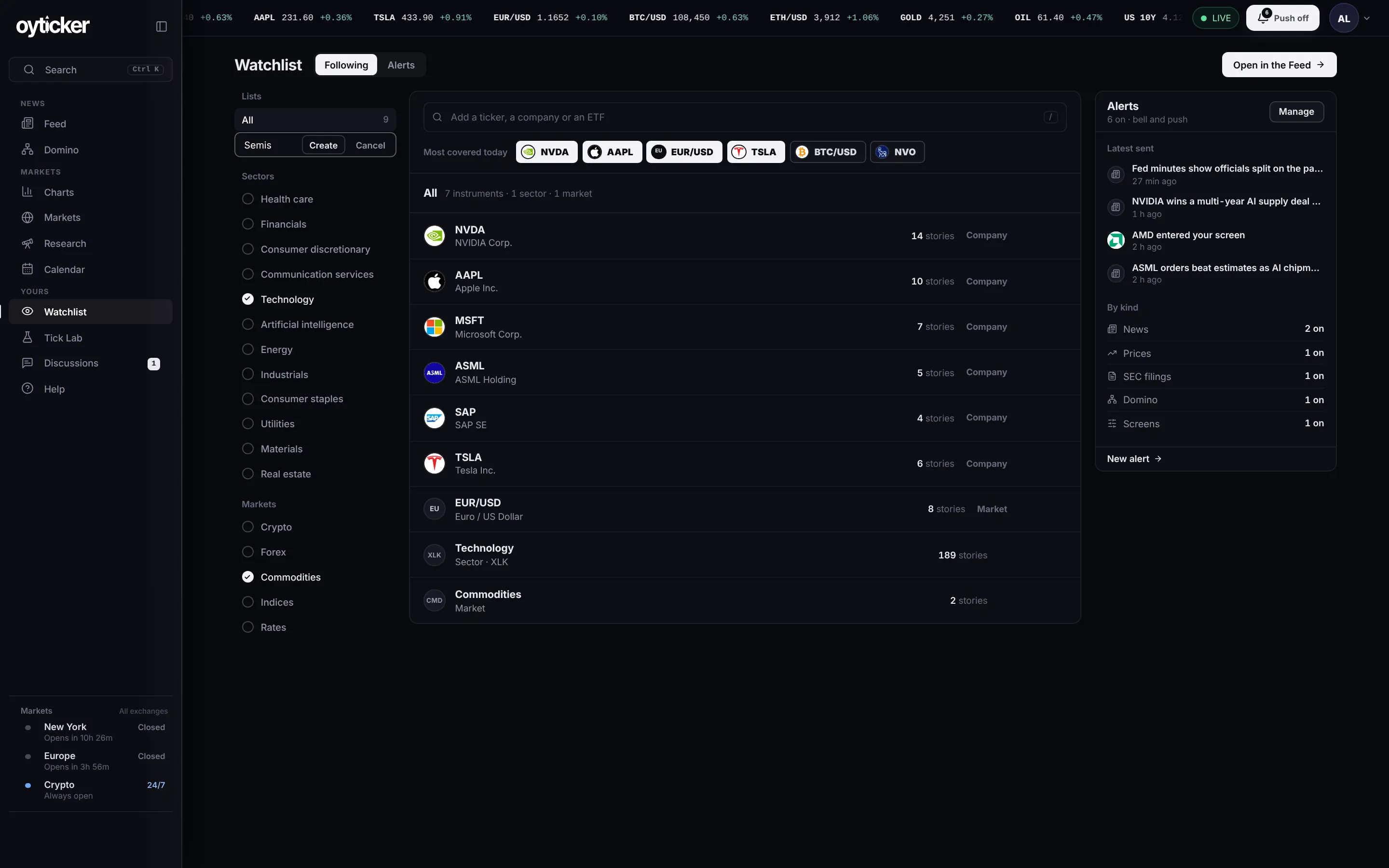
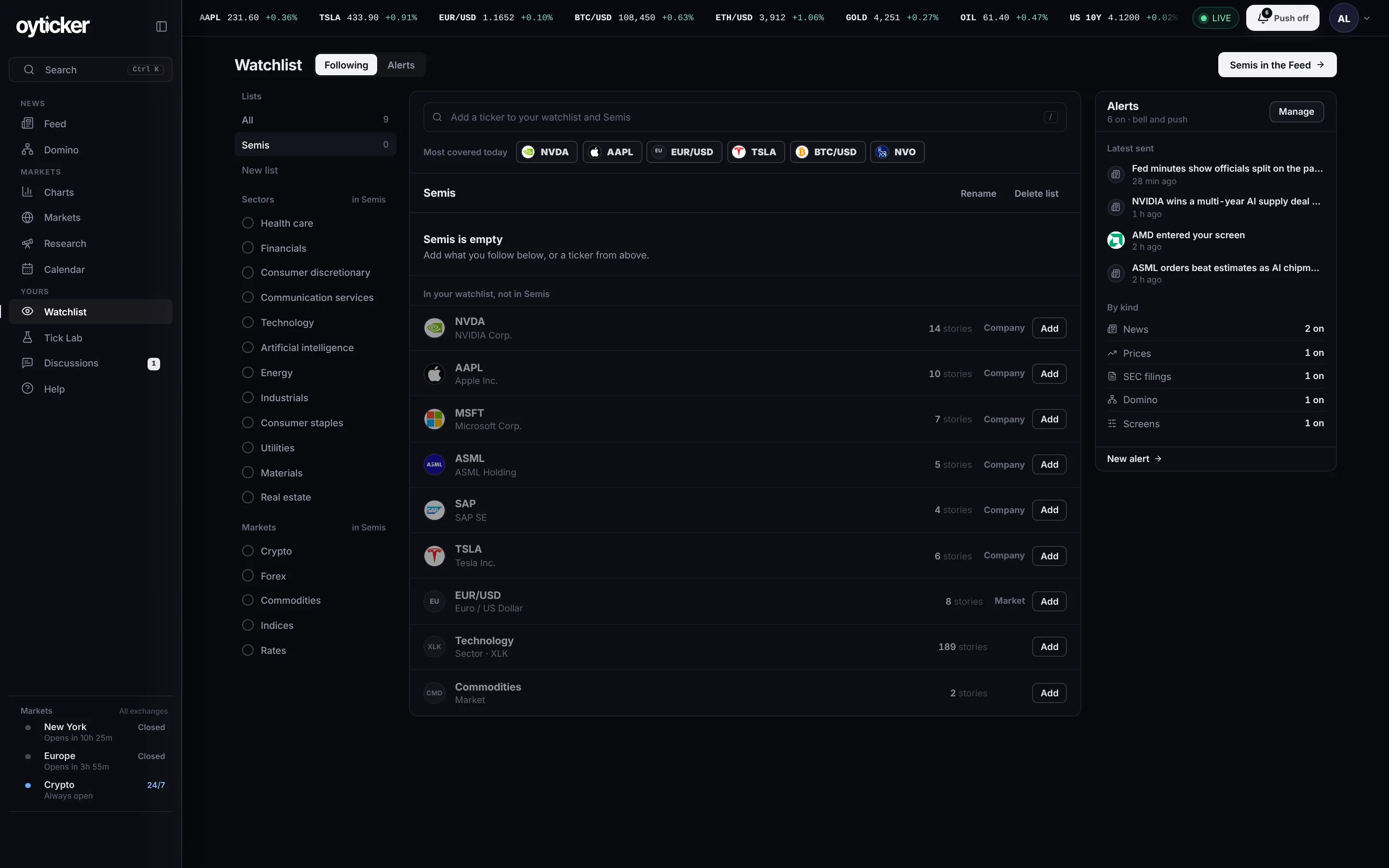
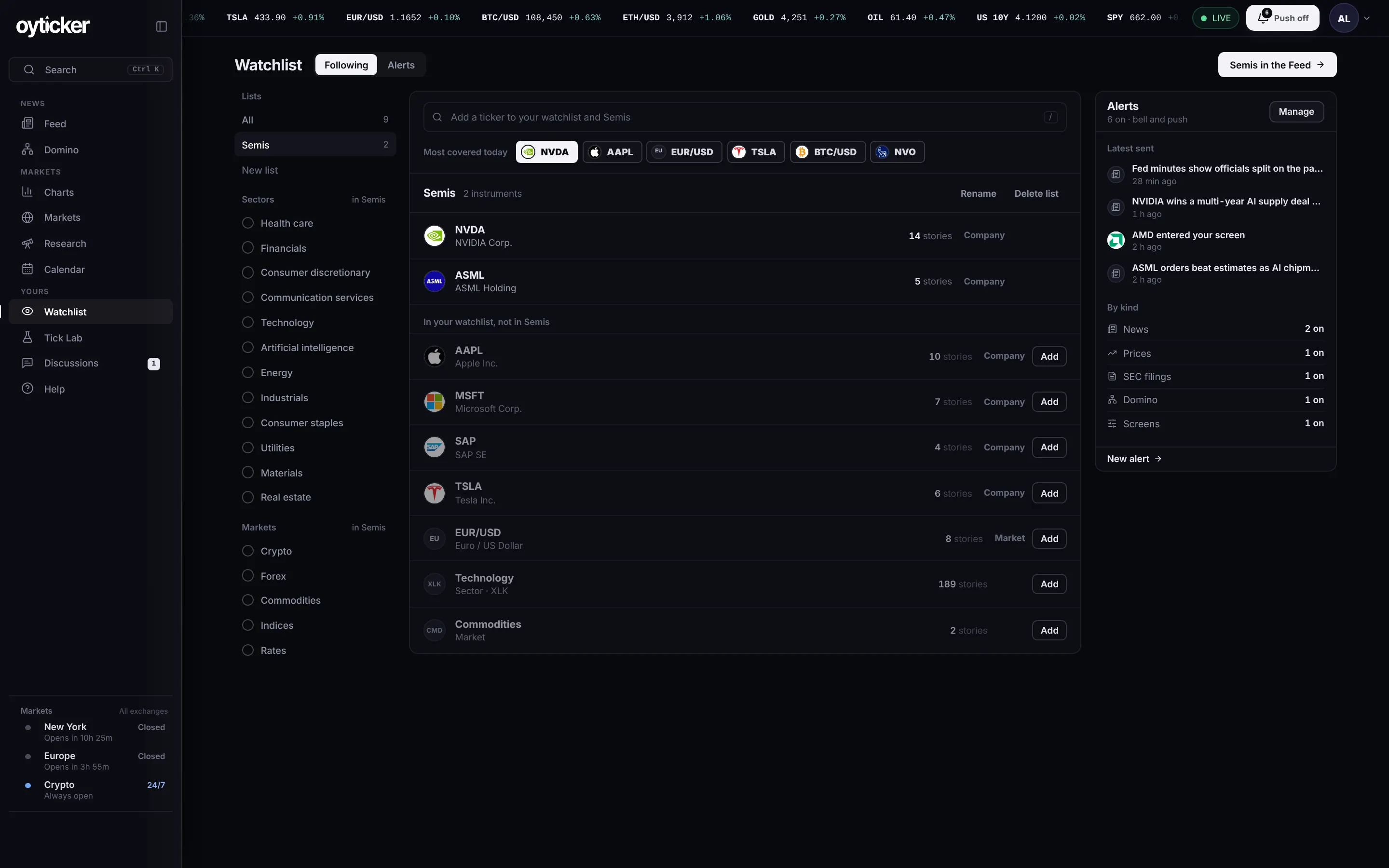
A list groups part of what you follow: a theme, a region, a book.
Forty characters at most, then Create.
Everything you follow is offered under the list. Add puts a line in it.
NVIDIA and ASML are in Semis. Take out, on a line under the pointer, removes it from the list only.
With a list open, a ticker added here is followed and put in the list in one go.
Deleting a list keeps what it holds in your watchlist.
Opens the Feed on the stories of this list only.
All shows everything again. The bell and push follow the whole watchlist, not one list.
The stories of your watchlist
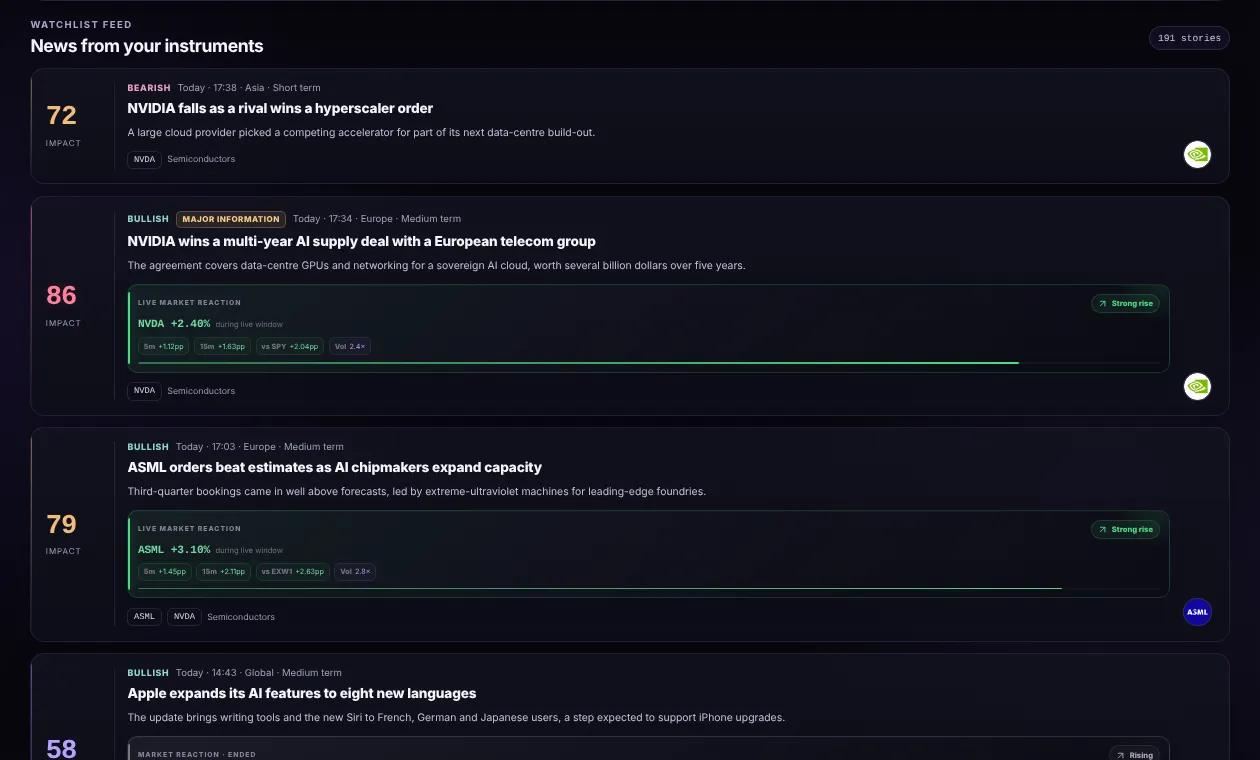
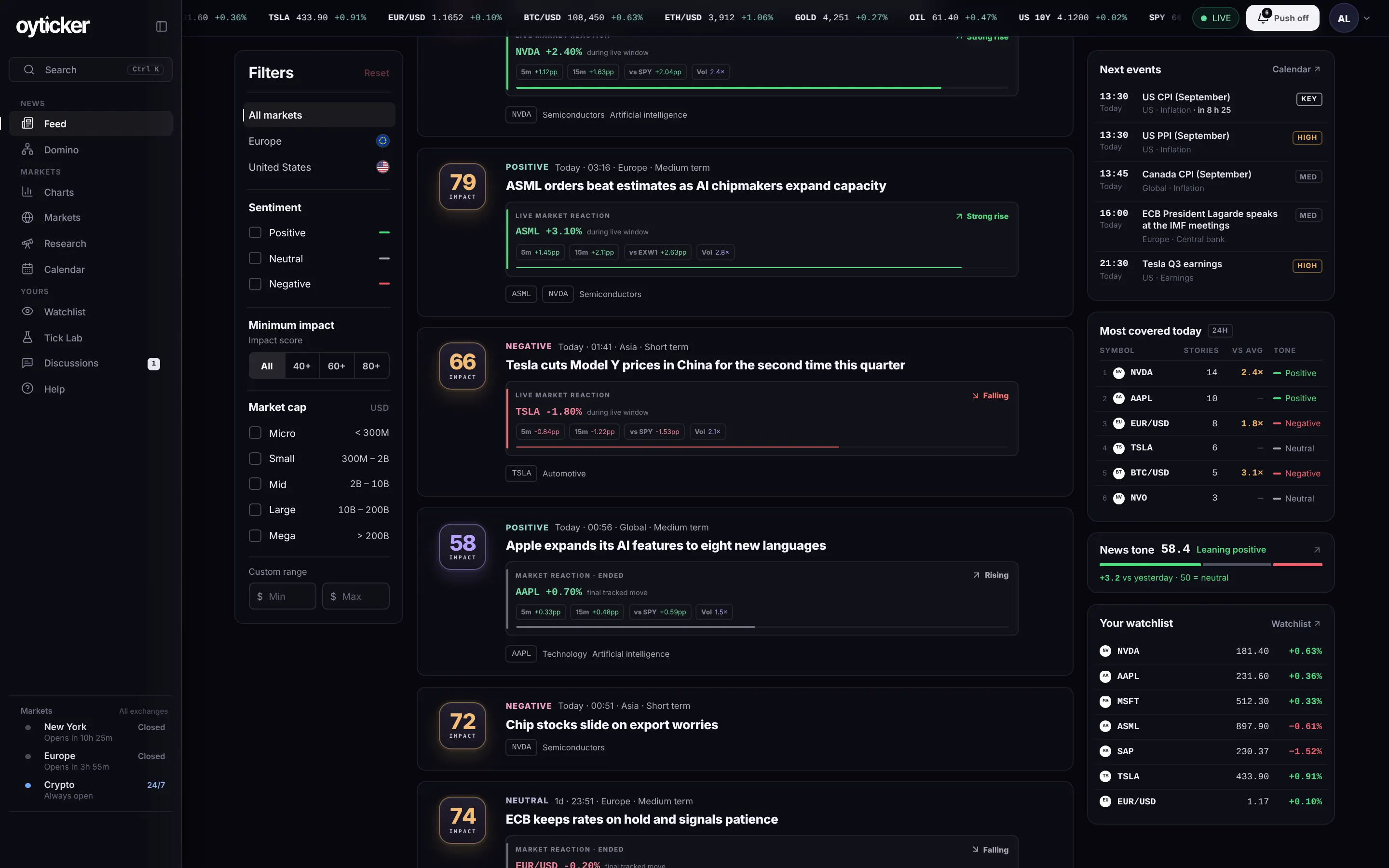
From the top right of the Watchlist.
The Feed's second list: the stories about your instruments, sectors and markets, the latest first.
Impact, tone and market reaction as everywhere in the Feed. Its filters and its search apply.
In the Feed's right column: the price and the day's change of each instrument you follow.
A new story about what you follow also arrives in the bell, and by push when you chose it: see Where alerts reach you.
The Alerts page
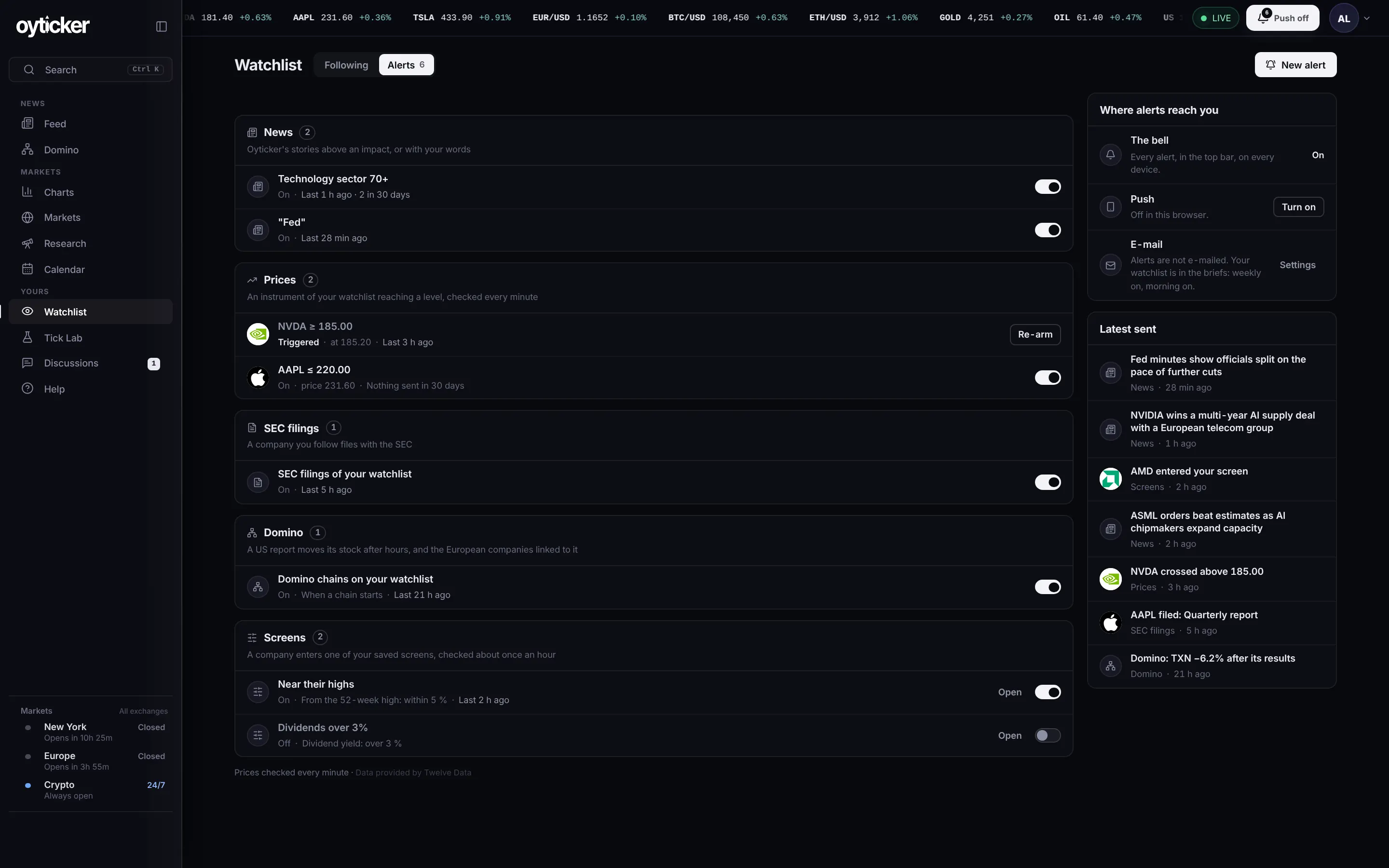
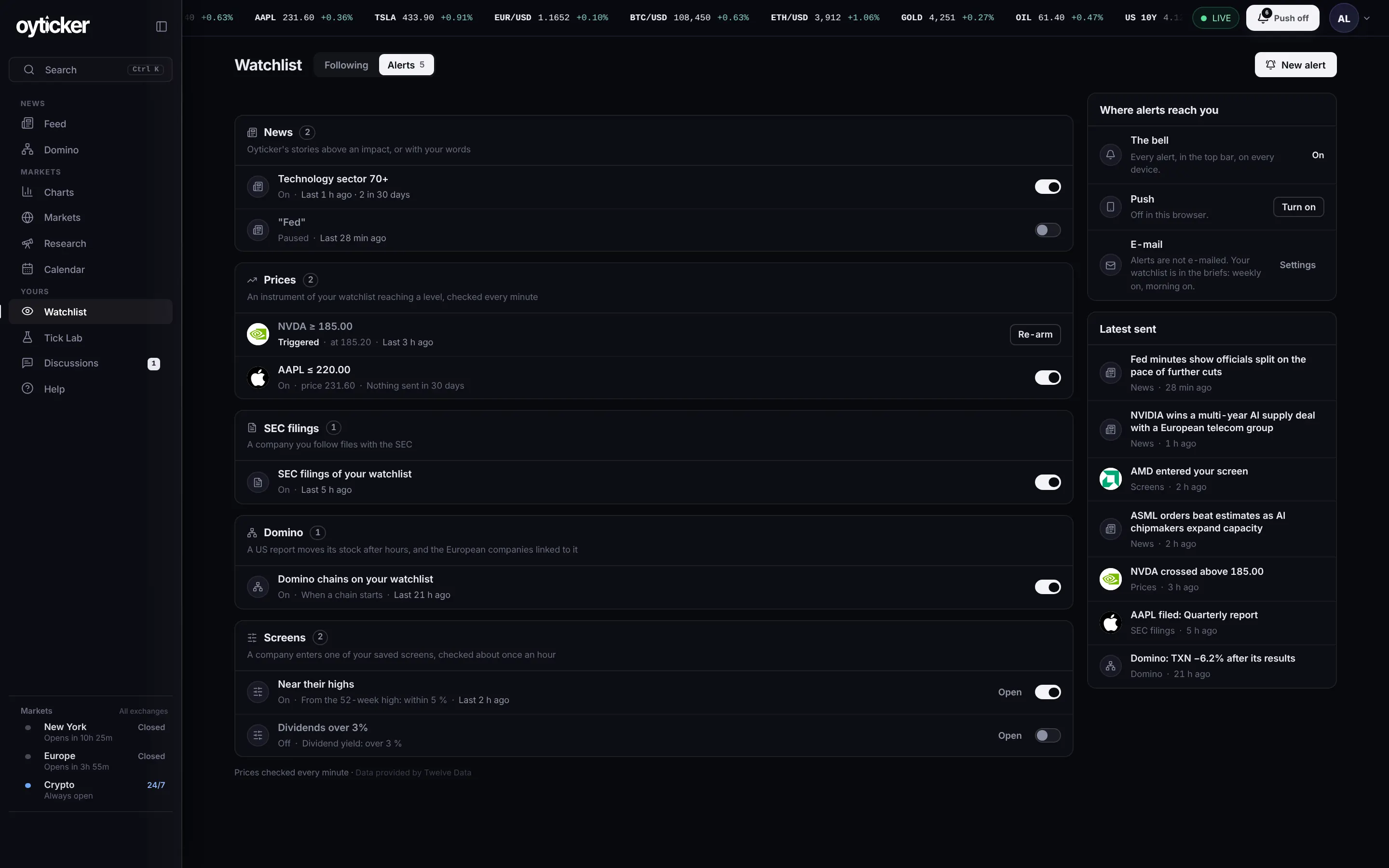
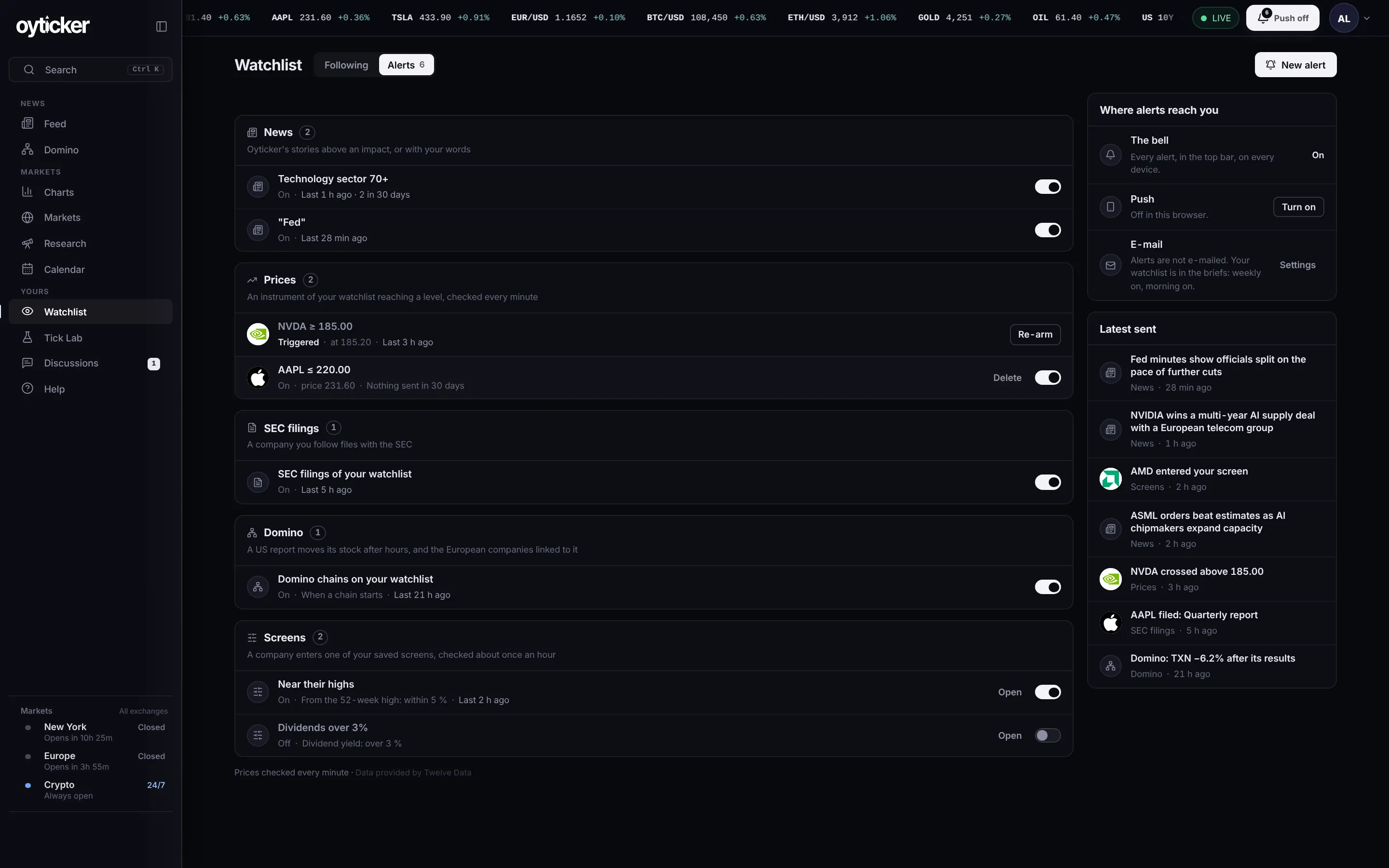
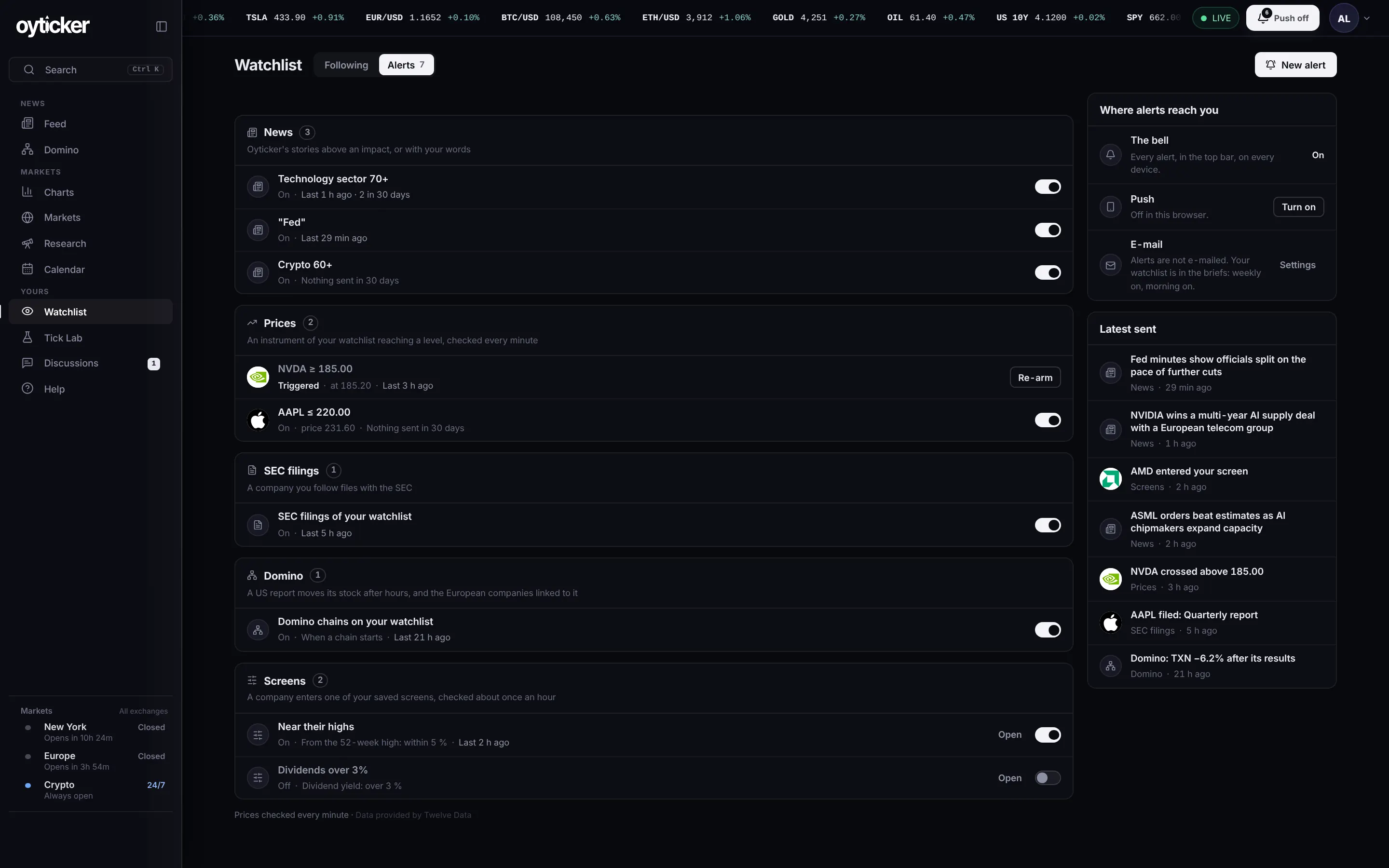
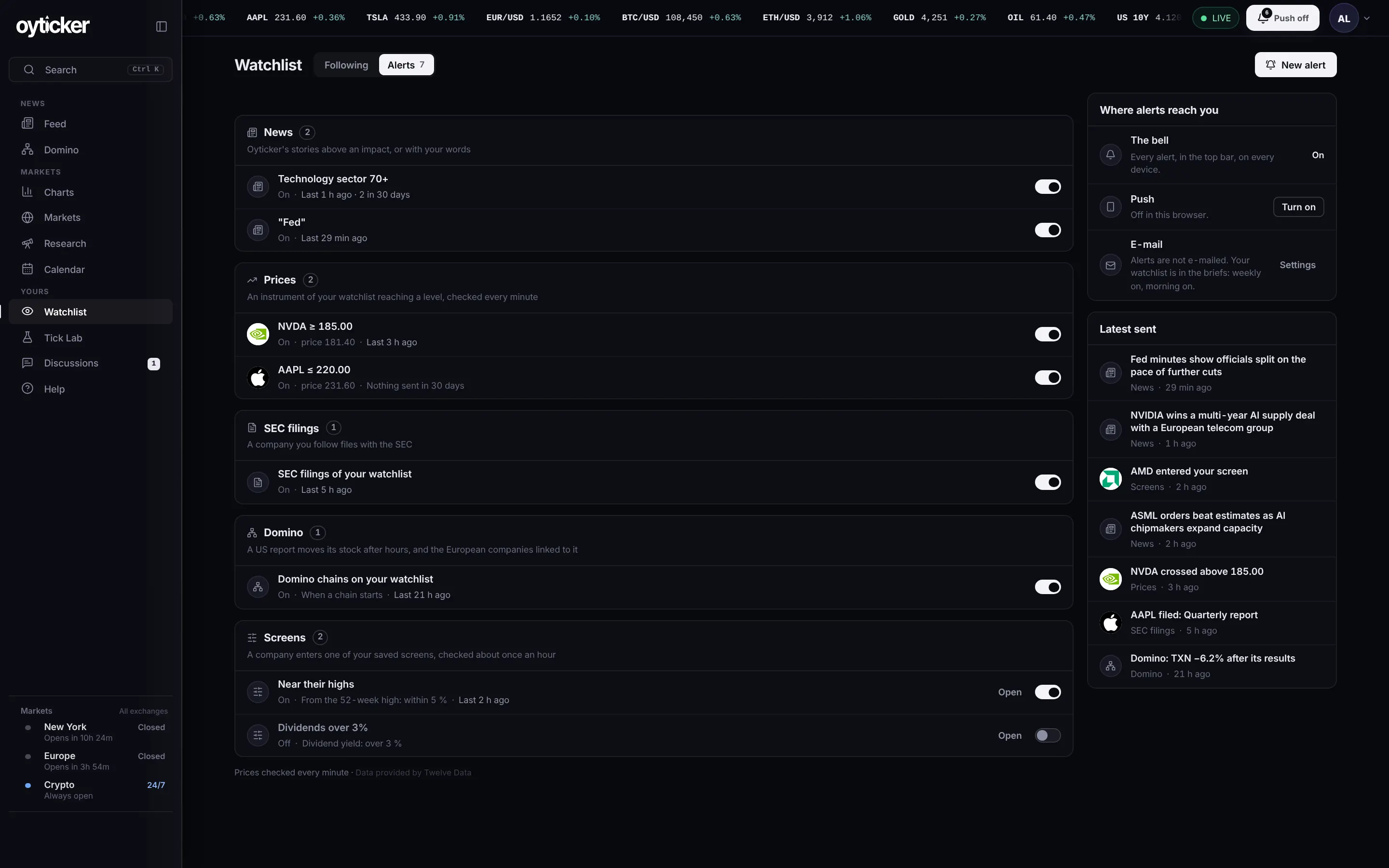
The latest alerts sent and those on, by kind. Manage opens the Alerts page.
In five kinds, each with its count.
Its name, On or Paused, when it last sent something and how often in 30 days.
The switch pauses an alert without losing it.
Nothing is sent until the switch is back on.
Shown when the pointer is on the line. The alert is removed for good.
- News
- Oyticker's stories at or above an impact you choose, or with your words in them.
- Prices
- An instrument of your watchlist reaches a level. Checked every minute.
- SEC filings
- A company you follow files a report with the SEC.
- Domino
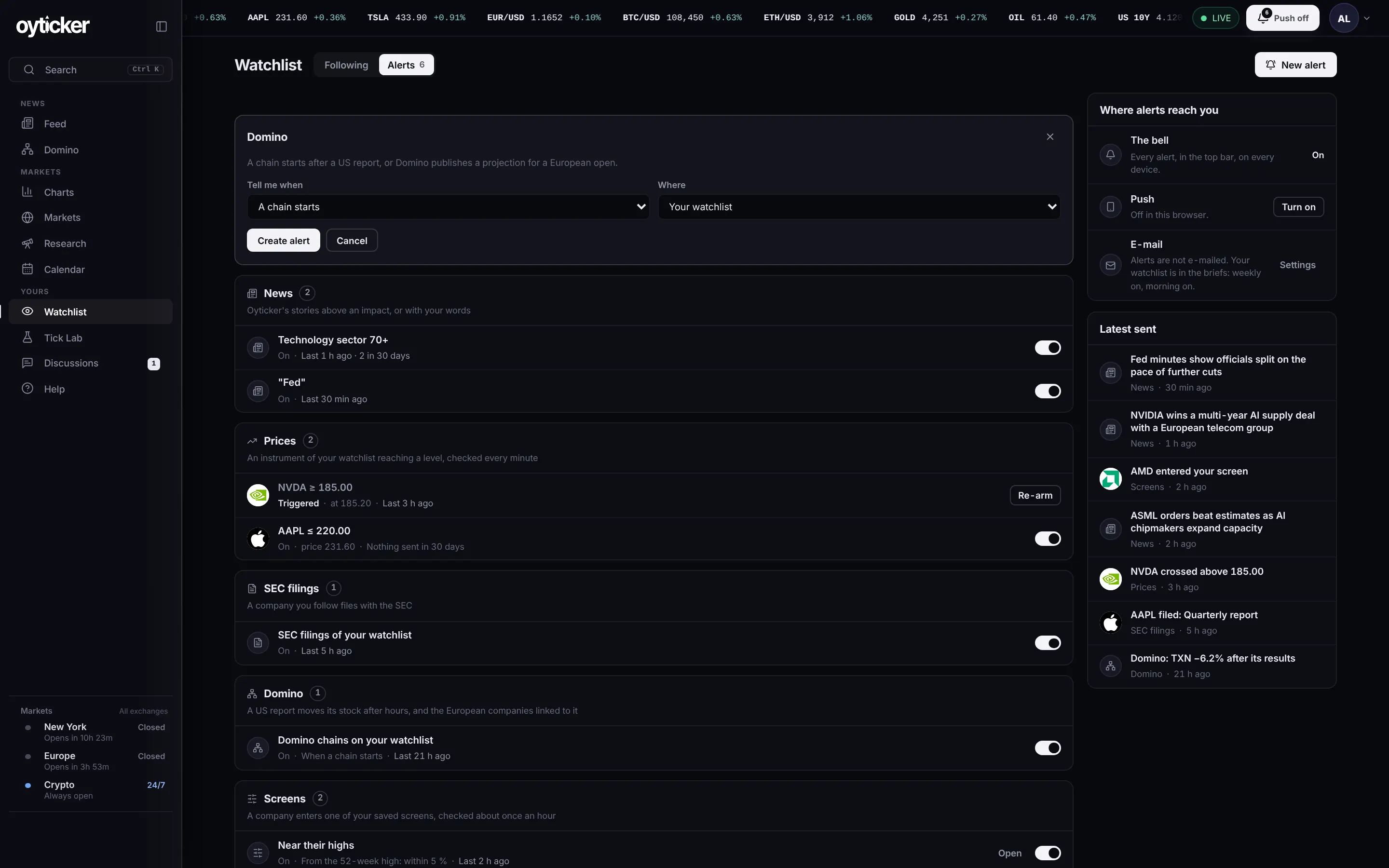
- A US report moves its stock after hours, and the European companies linked to it.
- Screens
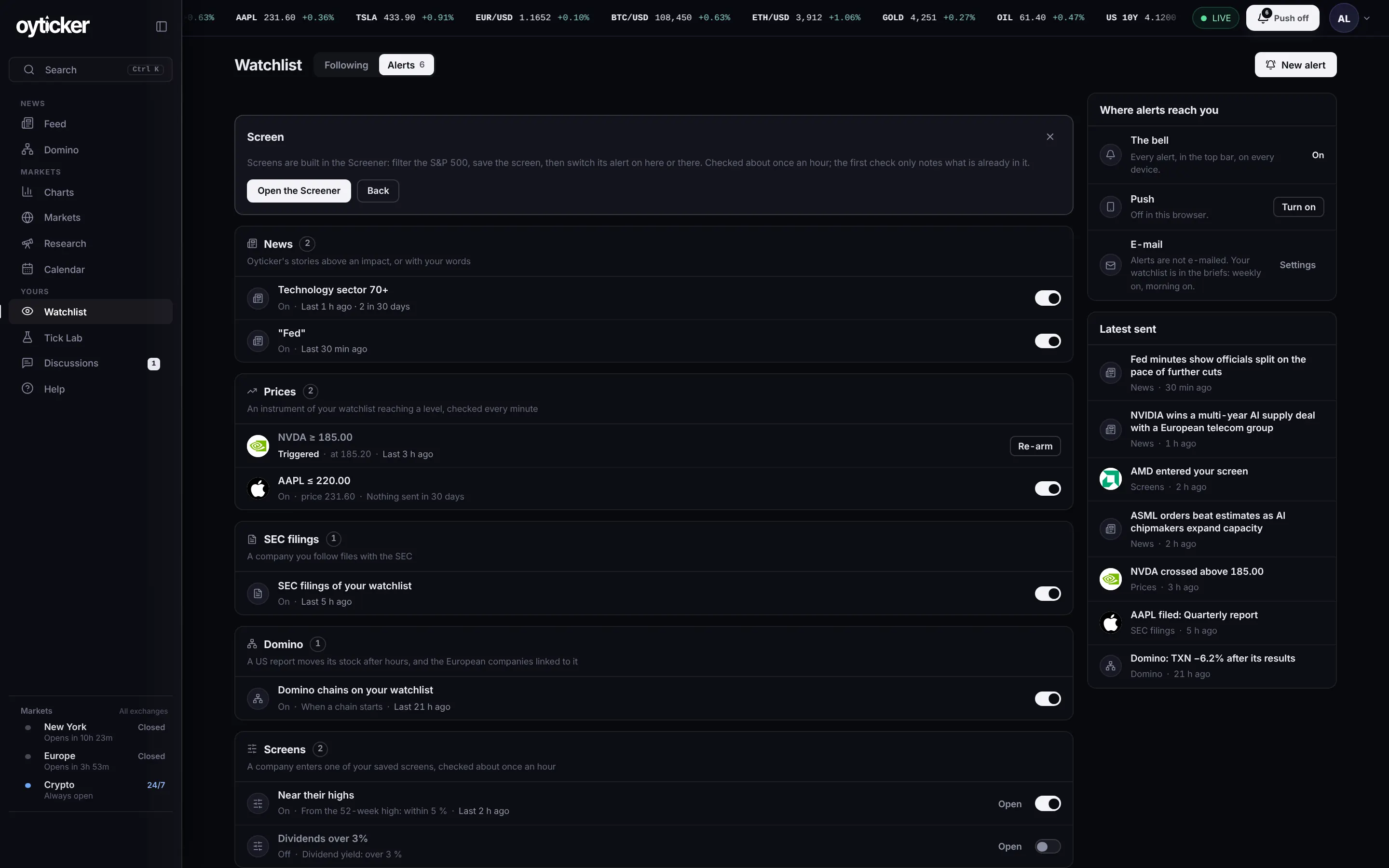
- A company enters one of your saved screens. Checked about once an hour.
A new alert
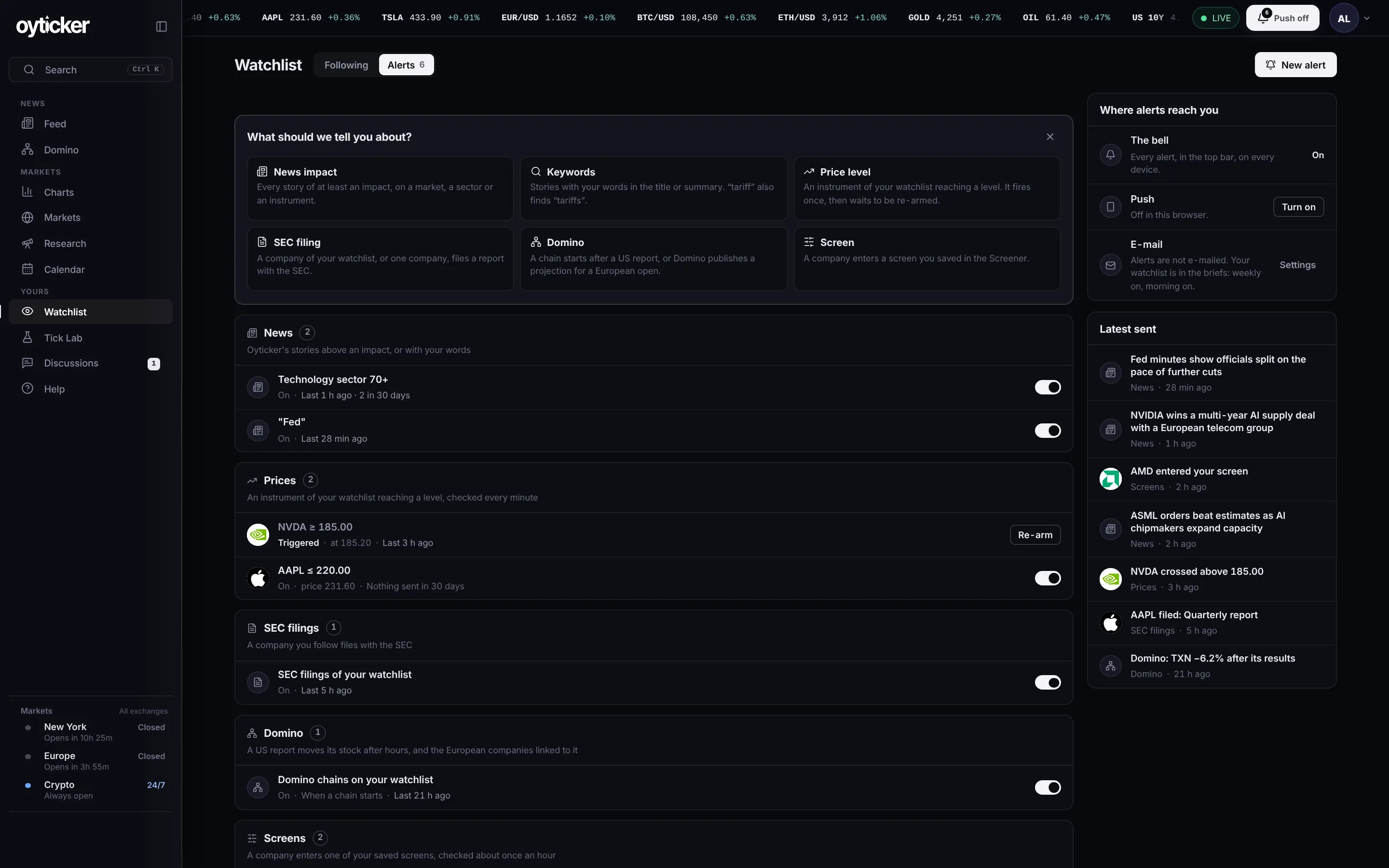
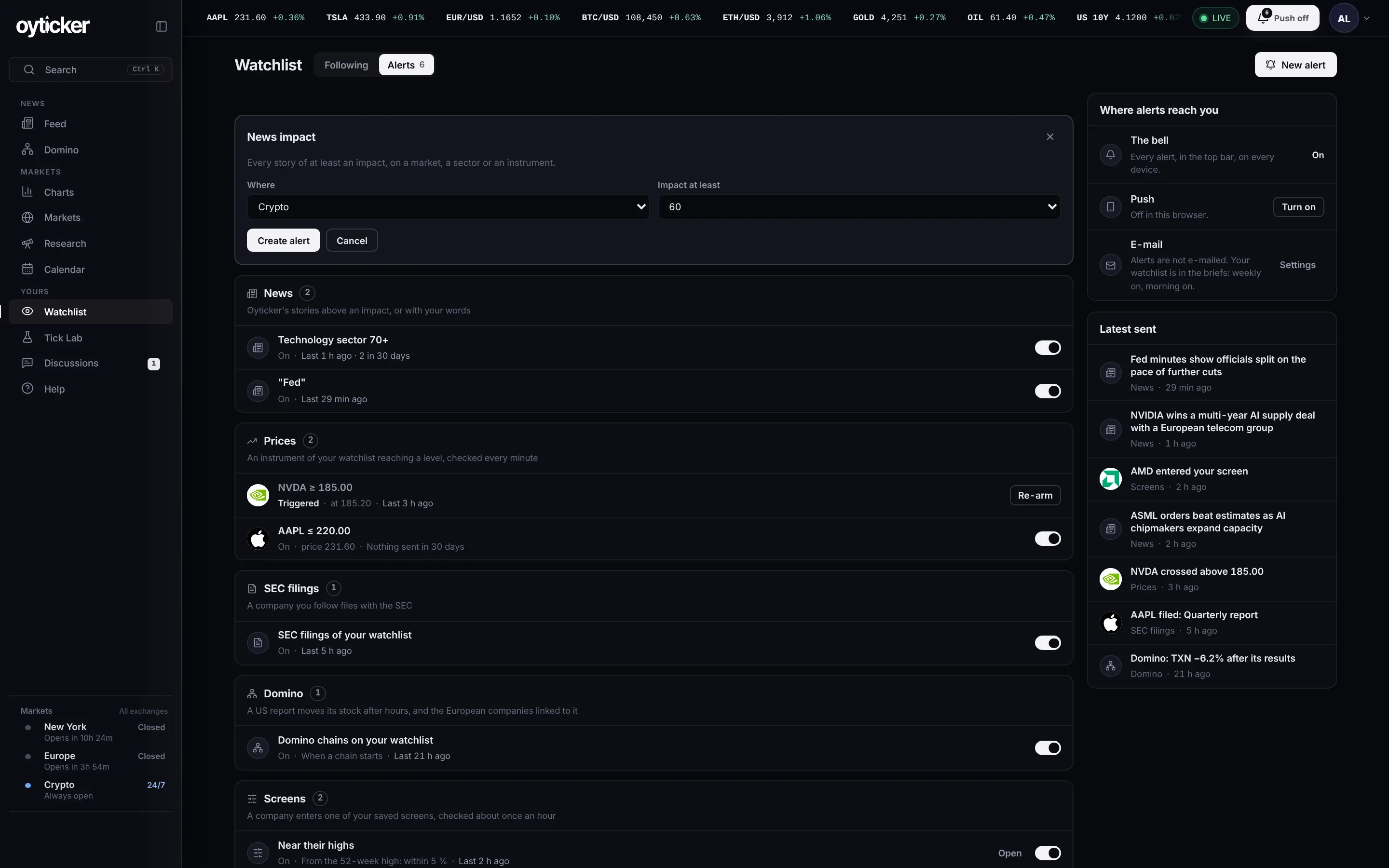
At the top right of the Alerts page.
Each says what it tells you about. Here, News impact.
All stories, a market, a sector or one of your instruments; then the lowest impact, from 40 to 90.
Here: every crypto story of impact 60 or more.
Crypto 60+ joins the News alerts, switched on.
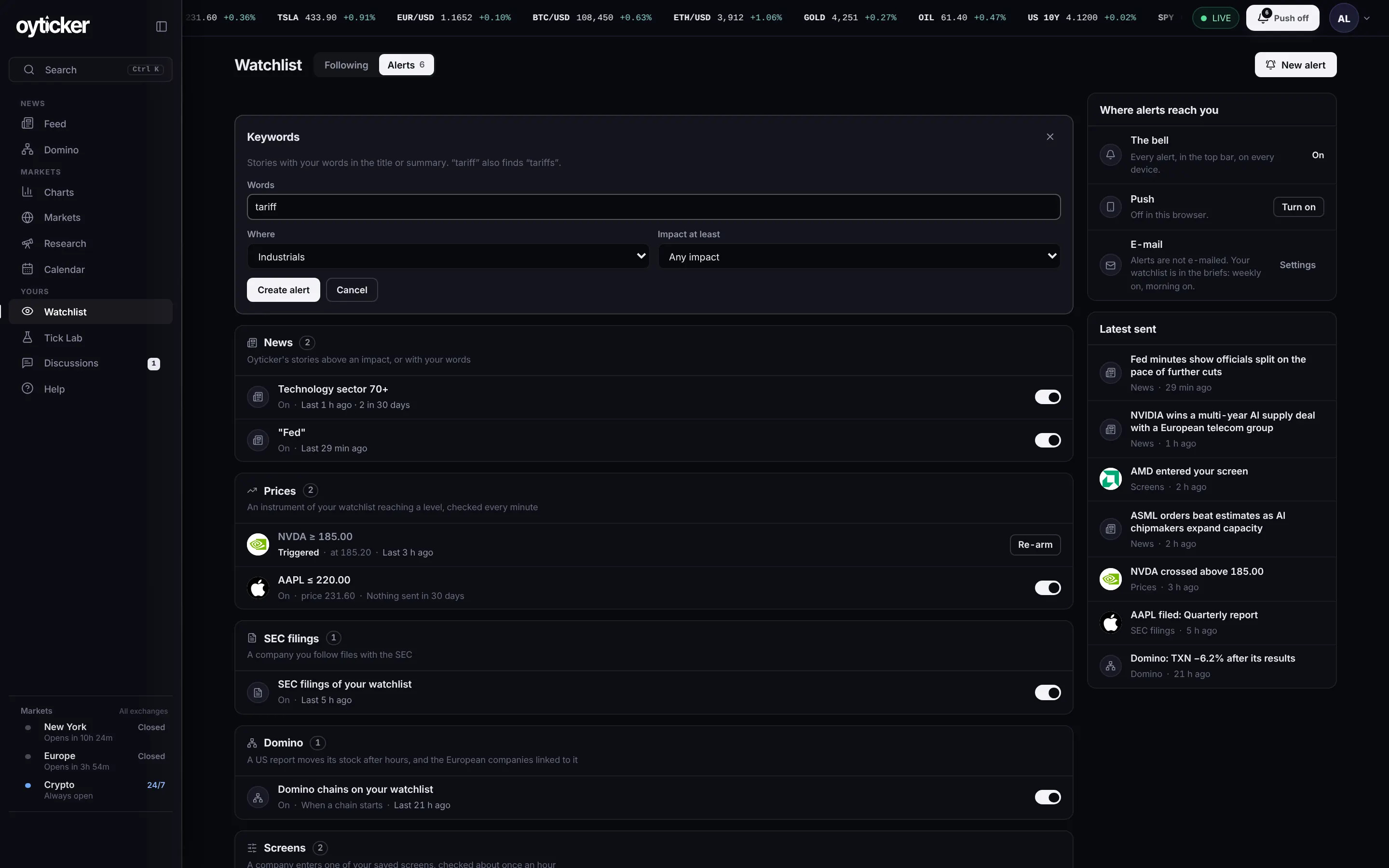
The second kind of news alert.
Looked for in the title and the summary of each story. “tariff” also finds “tariffs”.
Optional: one market, sector or instrument, and a lowest impact.
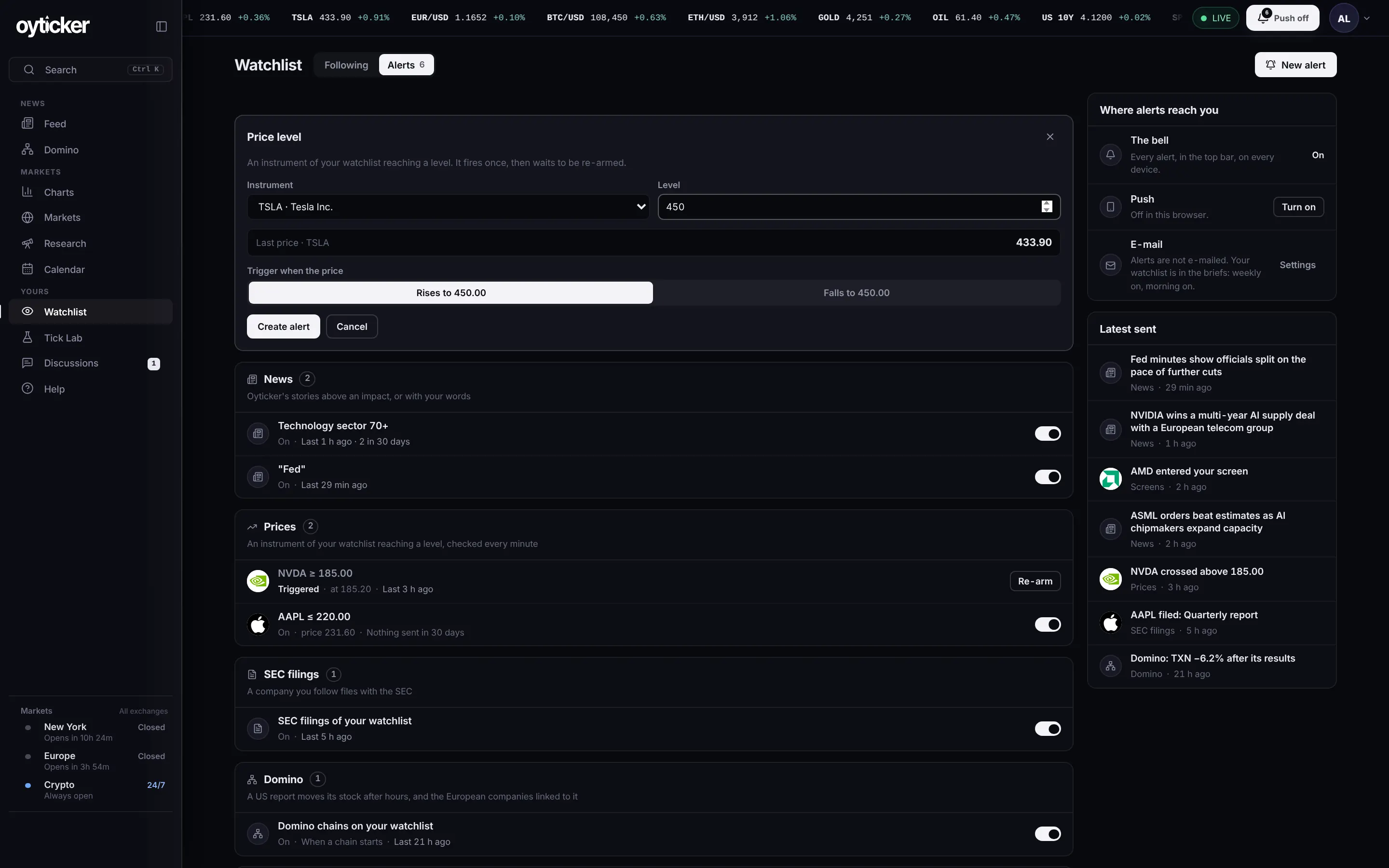
For an instrument of your watchlist.
Choose one of the instruments you follow and type the price to watch.
The side follows your level from the last price. It can be changed.
Here: Tesla rising to 450.
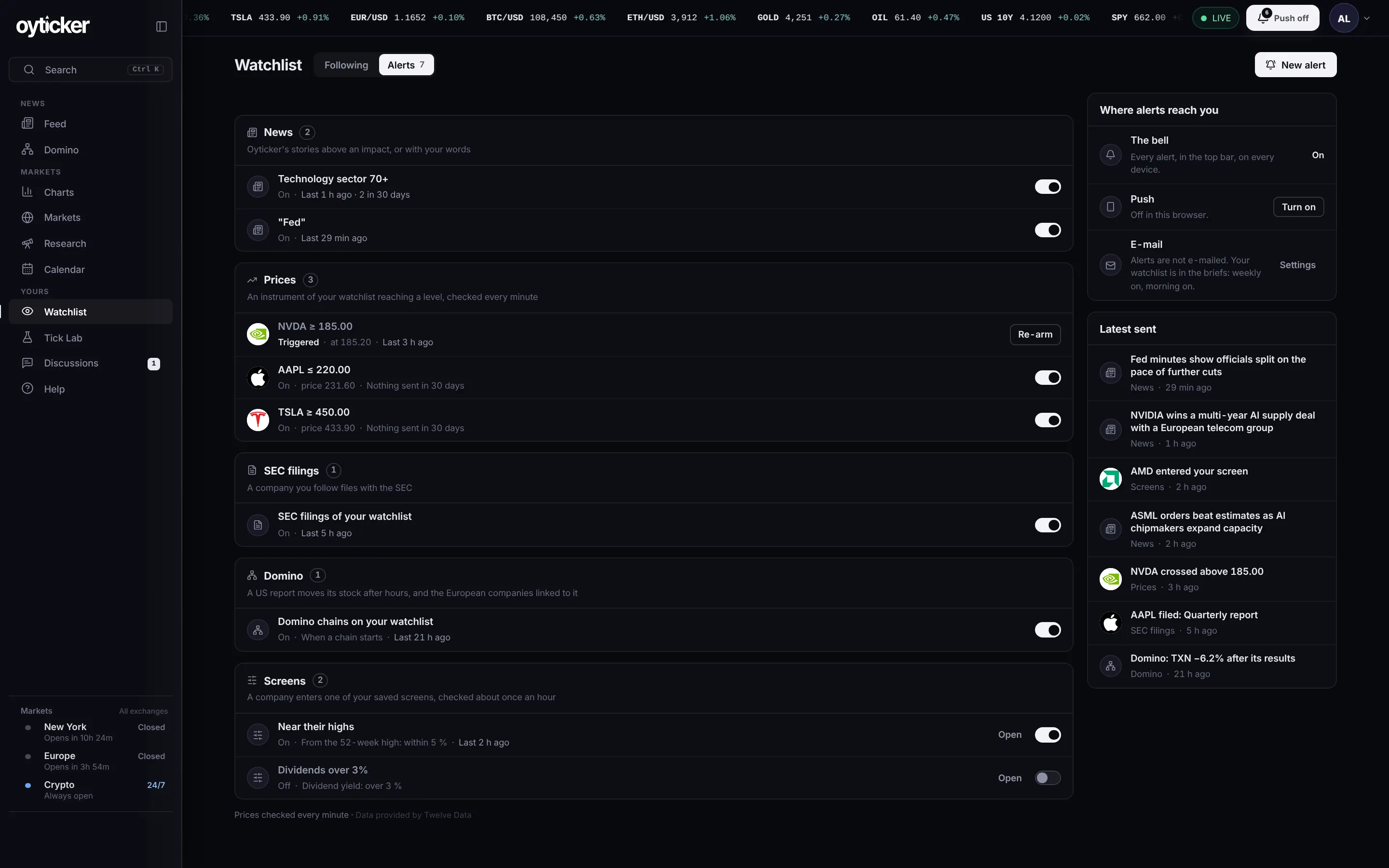
TSLA ≥ 450.00 is on, with the price now beside it.
A price alert fires once, then waits. The line keeps the price it fired at.
The level is watched again, from the side the price is on now.
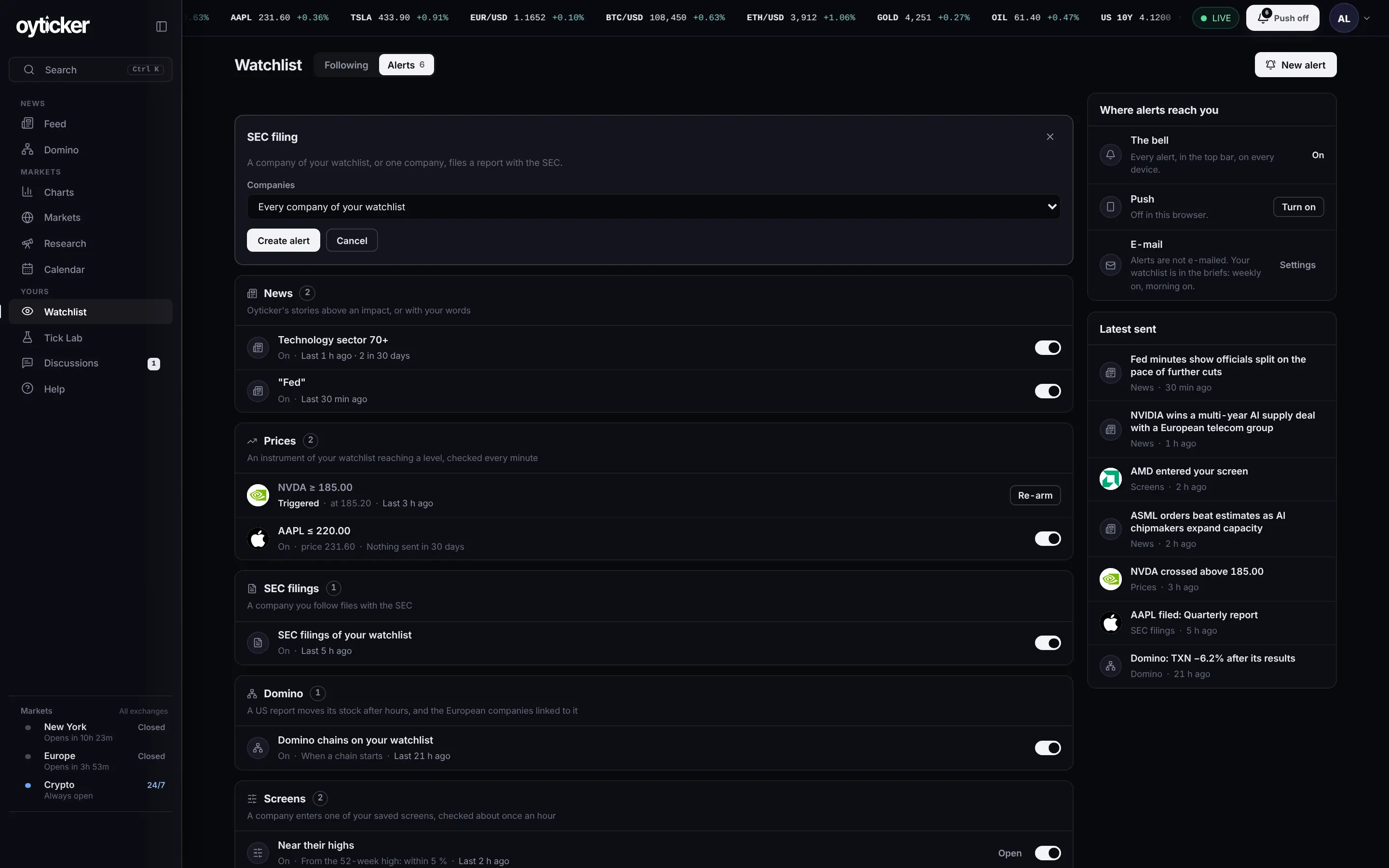
A report filed with the SEC by a company you follow.
Every company of your watchlist, or one of them.
When a chain starts after a US report, or when a projection is published; on your watchlist or on all of Domino.
Screens are saved in the Screener. Their alert is switched on there, or on this page.
Each saved screen with its filters. The first check only notes the companies already in it.
Where alerts reach you
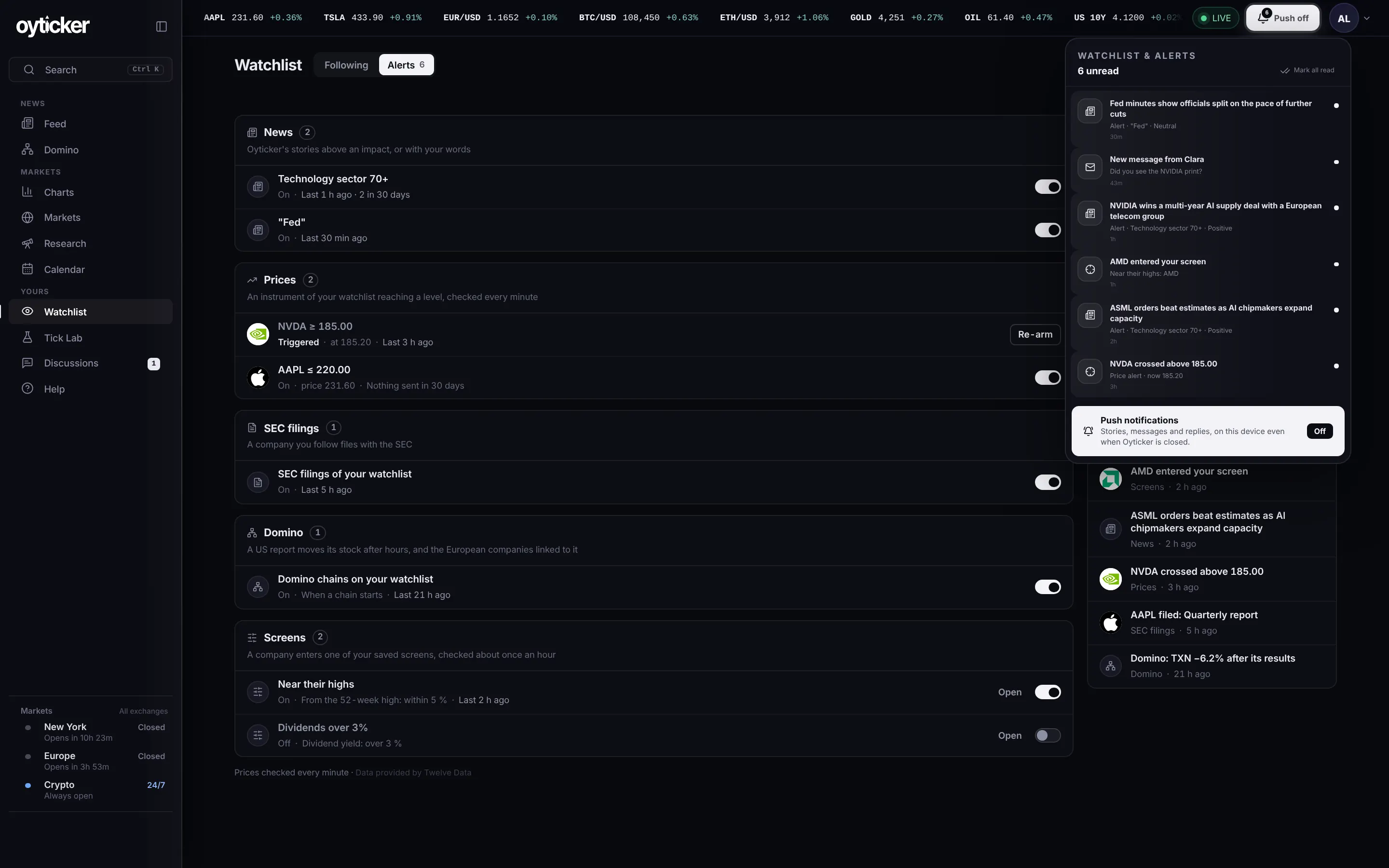
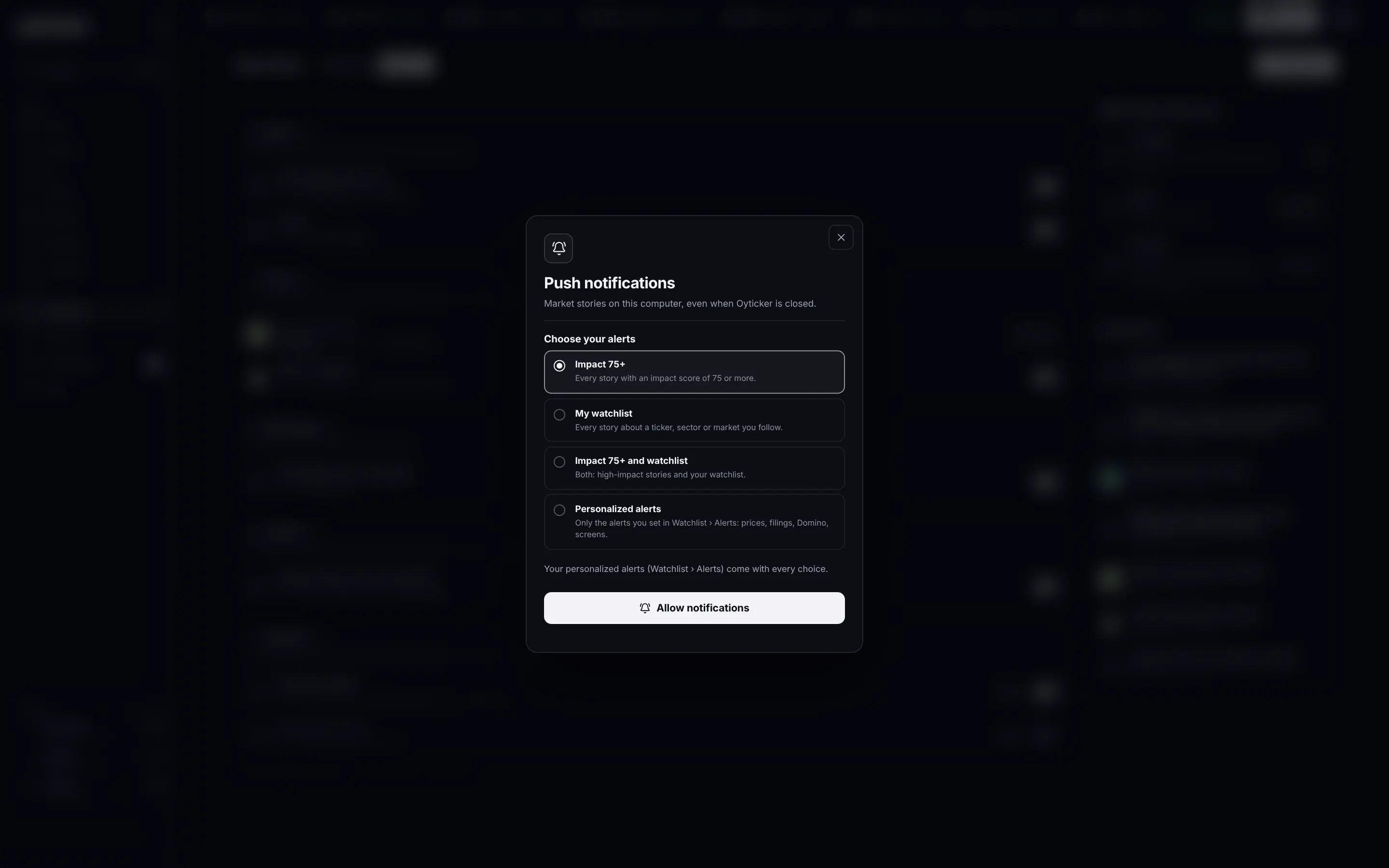
The bell, push, and the e-mail briefs.
Every alert arrives there, on every device.
Alerts, stories about what you follow and Discussions, the newest first. A click opens the story, the chart, the filing or the screen.
Notifications on a phone or a computer, even when Oyticker is closed. Each device is set up on its own.
Stories of impact 75 or more, your watchlist, both, or only your alerts. Your alerts come with every choice.
Alerts are not e-mailed. The e-mail briefs cover your watchlist; they are switched in Settings.
The last eight alerts sent in 30 days, each with its kind.
Push on a phone needs Oyticker on its Home Screen: the steps, by device.
The screens show simulated prices and stories.