
How to use
Open Calendar Calendar
The Calendar lays out, hour by hour (a list of days on phones), the scheduled events that can move markets: central bank decisions, inflation and jobs figures, major earnings and summits. Times are shown in your own time zone, and a red line marks the present moment. Add a single event to your calendar app, or subscribe to the whole calendar so it stays up to date by itself.
The week
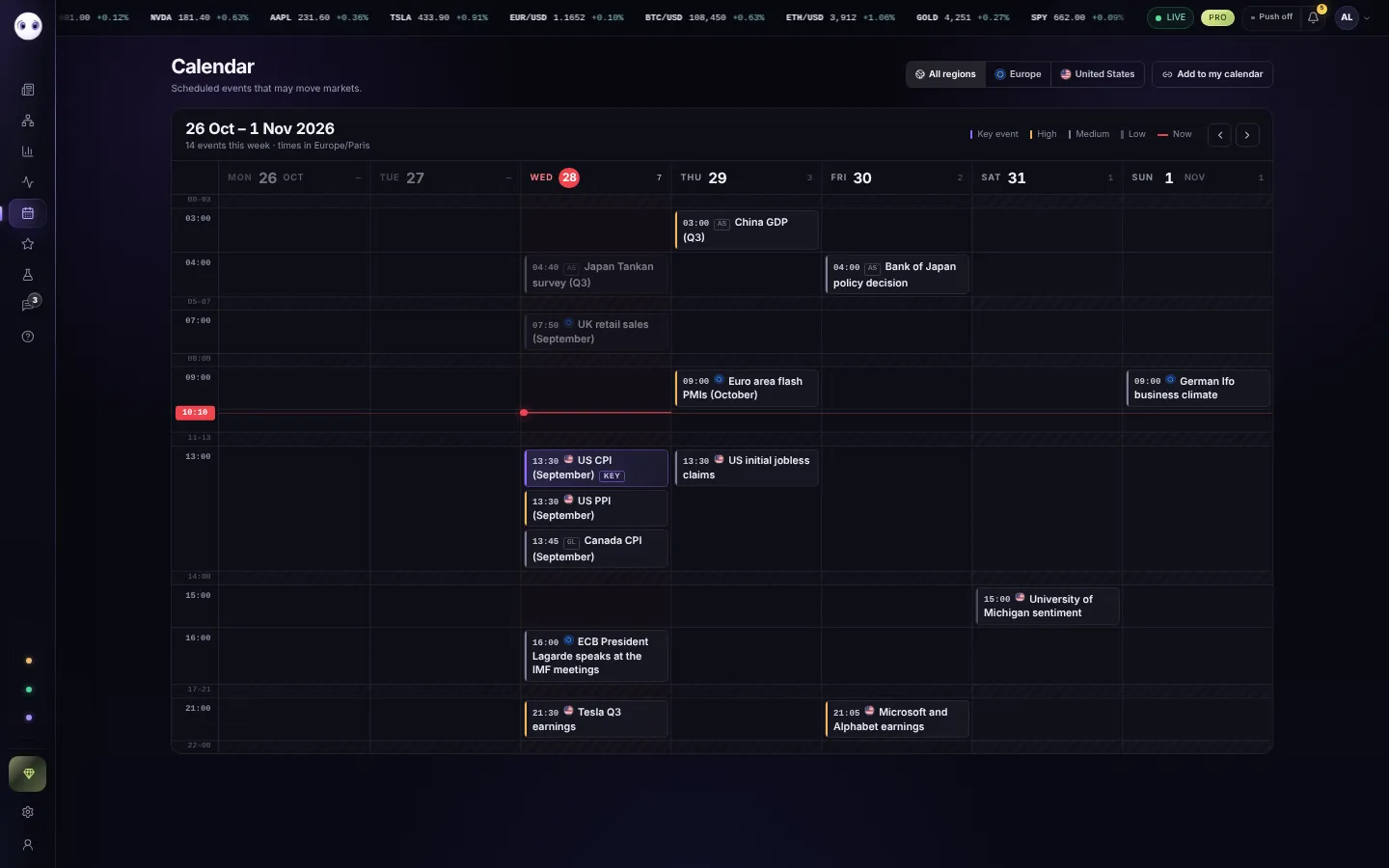
- RegionAll regions, Europe or the United States.
- Add to my calendarSubscribe your calendar app to every Oyticker event.
- The week shownWith the number of events and the time zone used.
- WeeksNext and previous weeks; This week comes back to today.
- TodayIts date in red. A red line crosses the day at the present moment and moves down as the hours pass; events already past are dimmed.
- Key eventThe few releases that move every market (rate decisions, inflation, jobs, GDP): a violet edge and a KEY tag.
- An eventIn the row of its hour: time, region and title. The coloured edge gives its importance: amber high, grey medium, dark grey low. Hours without events are folded into thin rows, so the whole week fits on the screen; on phones the week is a list of days.
An event

- Importance, region, typeKey events are marked as such.
- Why it mattersWhat the market expects, and what to watch.
- Add to calendarGoogle, Outlook, or an .ics file for Apple Calendar and the others.
Subscribing to the calendar
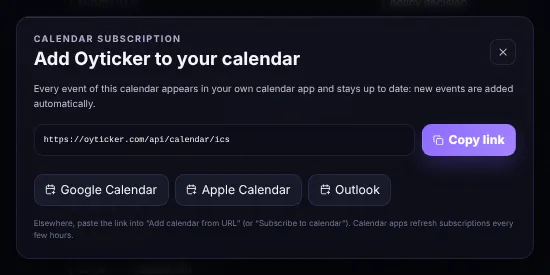
- Calendar linkCopy it into any calendar app that can subscribe to a calendar by URL.
- One clickGoogle Calendar, Apple Calendar or Outlook.
- Stays up to dateNew events appear by themselves; calendar apps refresh subscriptions every few hours.
Screenshots use simulated prices and stories.